
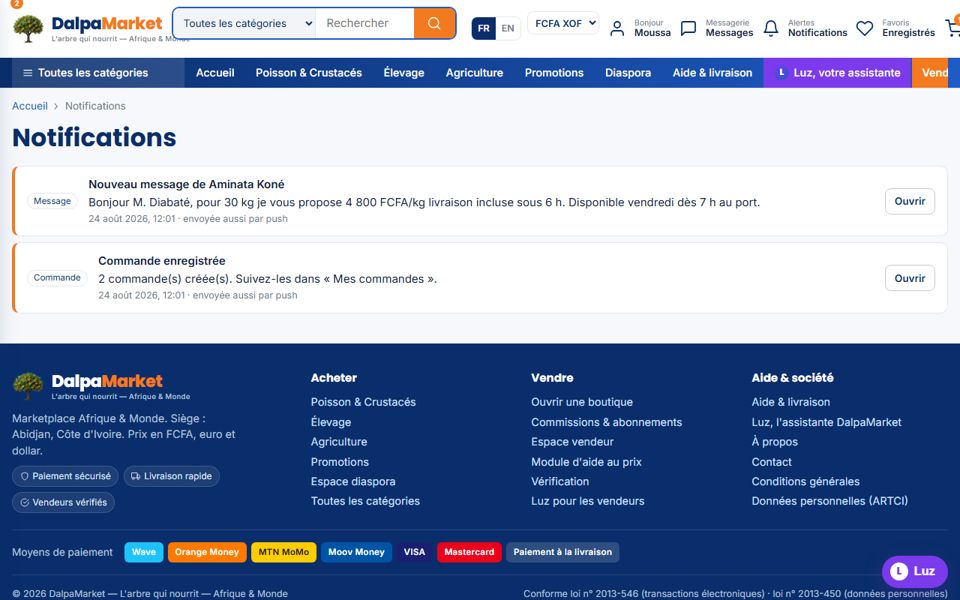
Every step of your order is notified: in the app, by email, on WhatsApp and as a push notification if you enable them.
- 1Find your orders
"My account → My orders": one line per seller with the amount, payment, status and date.
- 2Understand the statuses
Awaiting payment → Paid → Preparing → Shipped → Delivered. Plus Dispute, Cancelled and Refunded.
- 3Cancel while you can
"Cancel the order" button while it is awaiting payment: the stock returns to the seller, free of charge.
- 4Watch the announced lead times
Each seller displays a lead time per zone (e.g. "within 6 h" in Abidjan for fresh goods, "24-72 h" inland).
- 5Talk to the seller
"Write to the seller" from the order: the conversation keeps the order reference.