
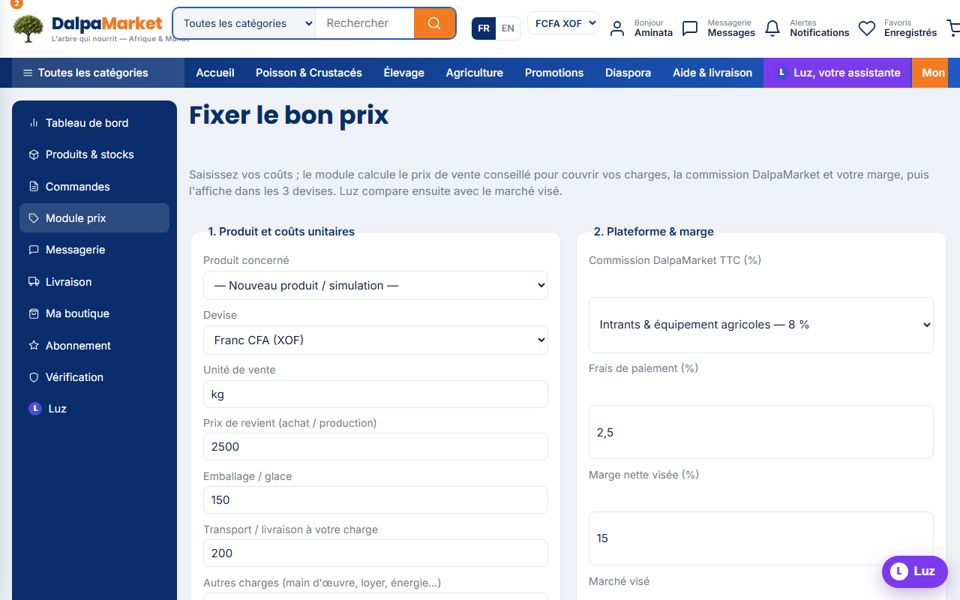
A good price covers your costs, the commission and your margin — and compares well with the target market. The pricing module does the maths, Luz gives its opinion.
- 1Enter your unit costs
Cost price, packaging/ice, transport at your expense, other charges, and your loss percentage (breakage, unsold goods).
- 2Add commission and margin
Pick your category's commission (3 to 12% incl. VAT), payment fees (~2.5%) and your target net margin.
- 3Read the result
Recommended price in the 3 currencies, full cost, margin per unit and floor price (below it, you lose money).
- 4Ask Luz's opinion
Luz compares with the target market (Abidjan, inland, WAEMU, Europe, America) and flags an off-market price.
- 5Save, or even apply
"Save and apply to the product" updates the listing; your calculation history remains available.
- 6Launch a flash sale
On the product form: promotional price, end date and label. Crossed-out price, "-X %" badge and countdown appear everywhere; Luz even suggests a promotion when a product has not sold for 14 days.