
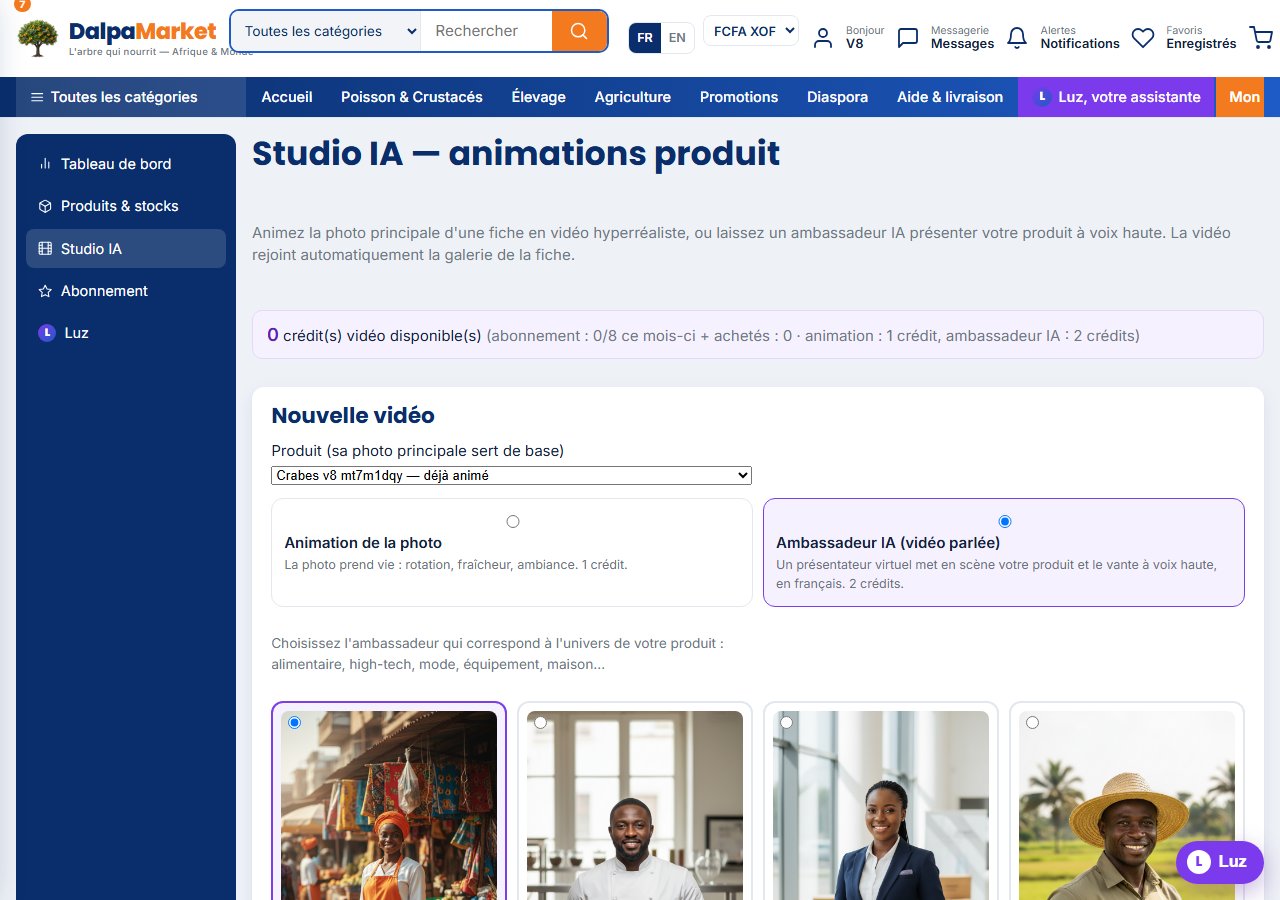
Reserved for the Studio plan, the AI Studio animates a listing's main photo into a short video, or stages your product in the hands of a virtual ambassador who praises it. The video automatically joins the listing gallery, marked with an "IA" badge.
- 1Upgrade to the Studio plan
From "Subscription", choose the Studio plan: it includes 8 video credits per month (an animation costs 1 credit, an ambassador 2), 15 photos per listing and the 3D view.
- 2Open the AI Studio
Seller menu » AI Studio. Select the listing to turn into video: its main photo is the base, so make it a good one (sharp product, light background).
- 3Choose the mode
"Photo animation" brings your image to life (studio rotation, freshness, market ambience, texture zoom). "AI ambassador" creates a real spoken sequence with a virtual presenter.
- 4Pick your ambassador
Twelve profiles cover every universe: Awa at the market, Chef Koffi in the kitchen, Fatou for export, David for tech, Inès for fashion, Seydou for equipment… Choose the one who speaks to your buyers.
- 5Let Luz write the pitch
Without any text from you, Luz writes a 20-30 word spoken pitch from your listing. You can also write your own (260 characters max).
- 6Generate and follow along
Allow 2 to 6 minutes for an animation, 3 to 8 for an ambassador (staging then shooting). The page refreshes by itself and the video joins the listing.
- 7Need more videos?
Buy extra credits (packs of 5, 12 or 30): they never expire and take over once the monthly quota is used up.